Sending from your own matter
Send documents you already have, without downloading them.
If your firm also uses Matter Folio and you have a matter for the same client, you can send documents your client has already given you.
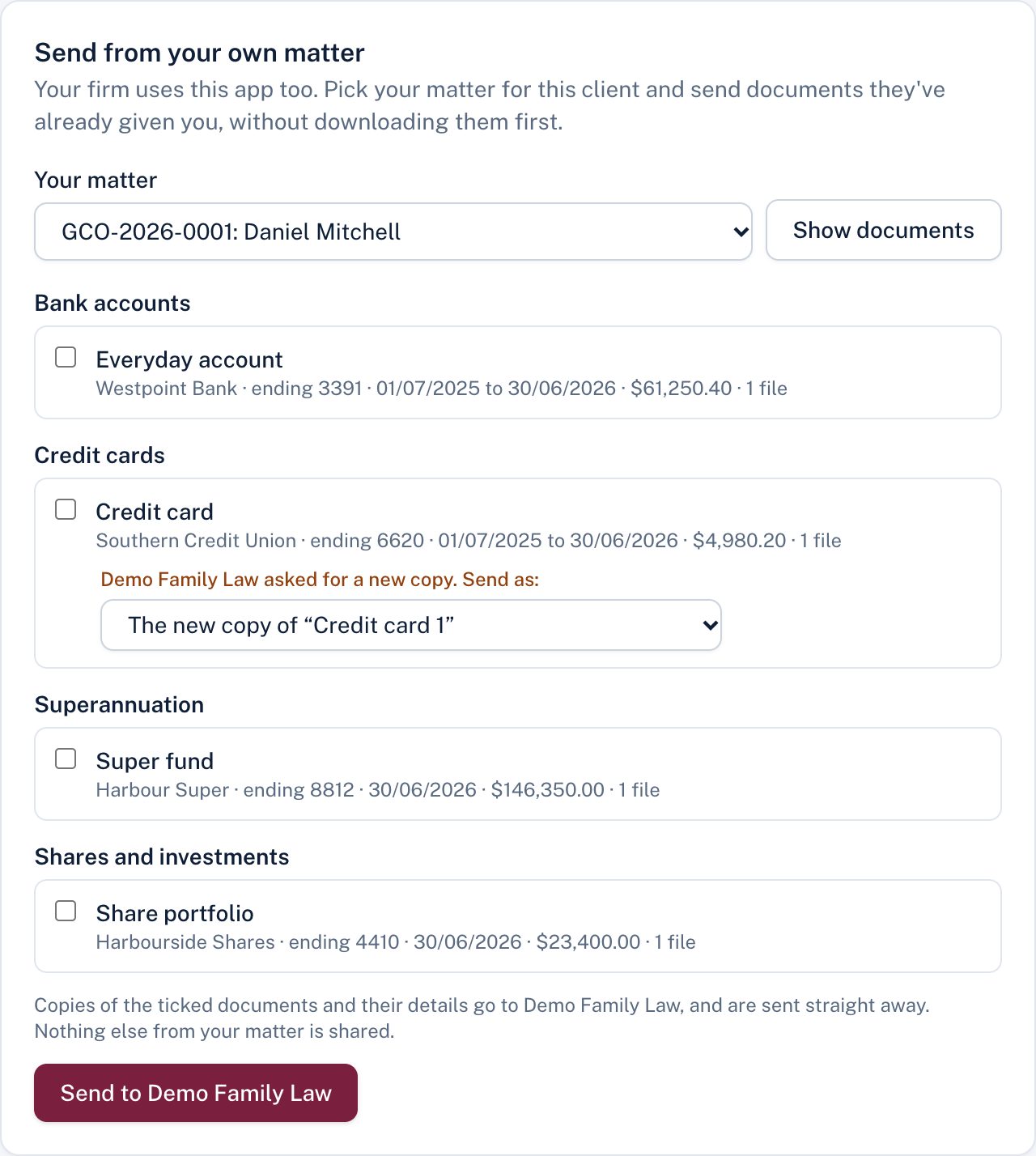
- Under Send from your own matter, choose your matter and Show documents.
- Tick what to send. If the firm asked for a new copy of that kind of document, it's set to send as the new copy of their request; you can choose a separate new entry instead.
- Choose Send to the firm.
Copies of the ticked documents and their details are sent straight away. Nothing else from your matter is shared, and your own matter doesn't change.
Still stuck? Contact the law firm that invited you; their details are at the foot of your page.