Everything a family law property matter needs for disclosure
From the first request to the final bundle, every document has a status, a history and a place on the balance sheet.
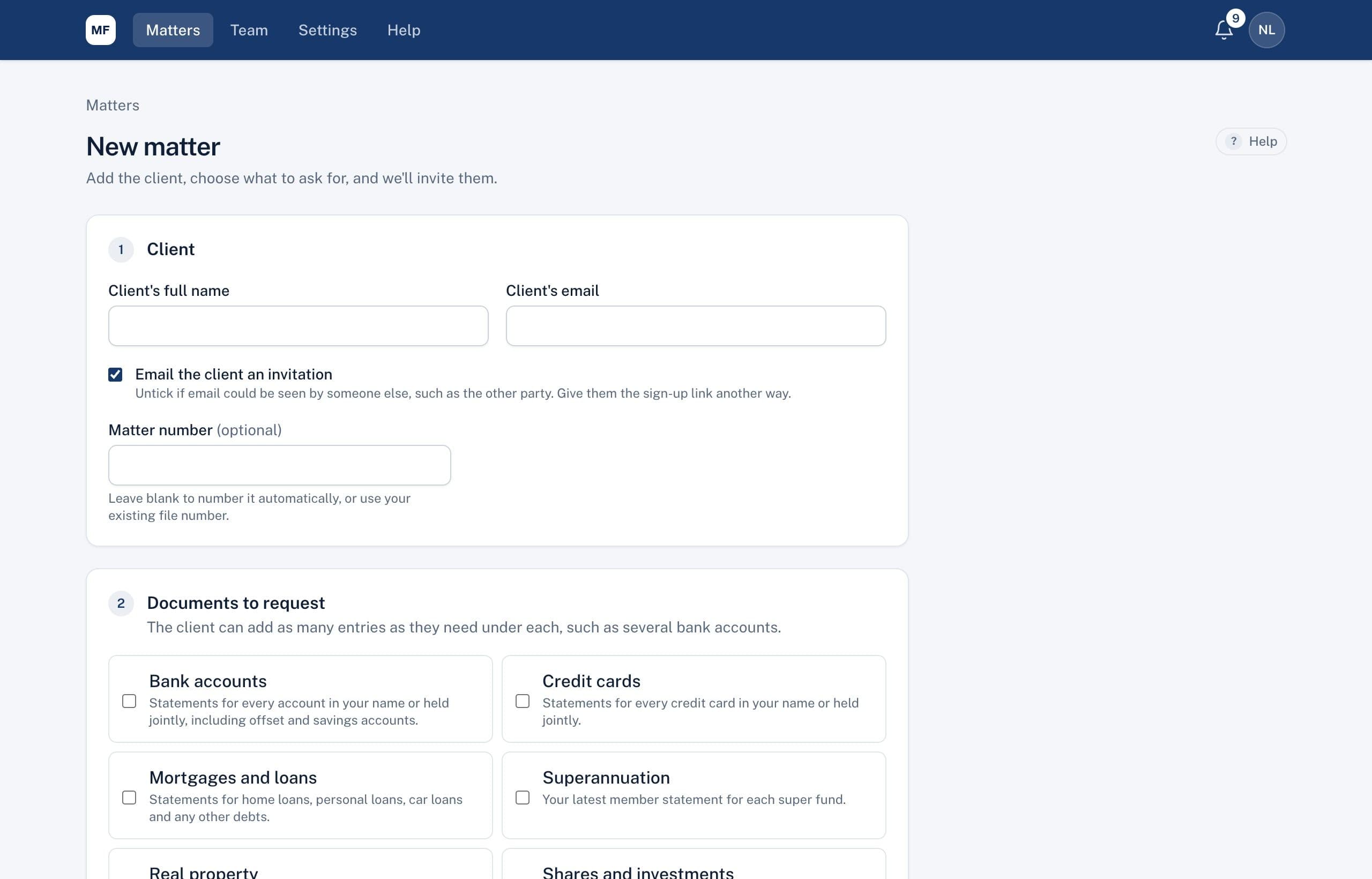
Document requests
Tick the documents a matter needs and your client gets an email invitation. They work through a simple list on their phone, one item at a time, and you see the status of every item without asking.
- Open a matter in a couple of minutes
- A clear list for your client
- Reminders that send themselves
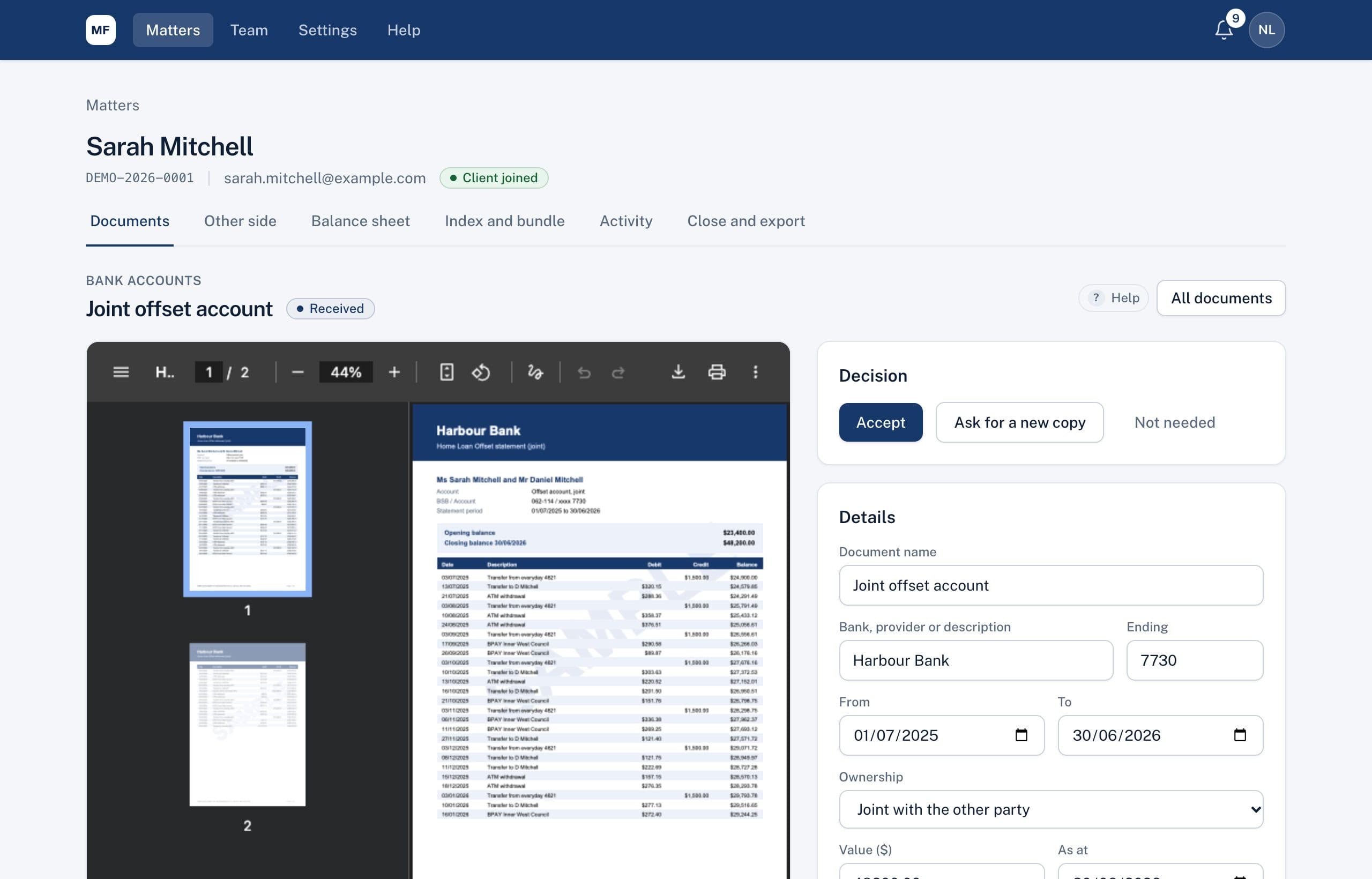
Document review
Every document arrives as an entry with its details. You see the file on one side and the details on the other, and decide: accept it, ask for a new copy, or mark it not needed.
- One screen for each decision
- Statuses that tell you where things are
- Ready for the balance sheet
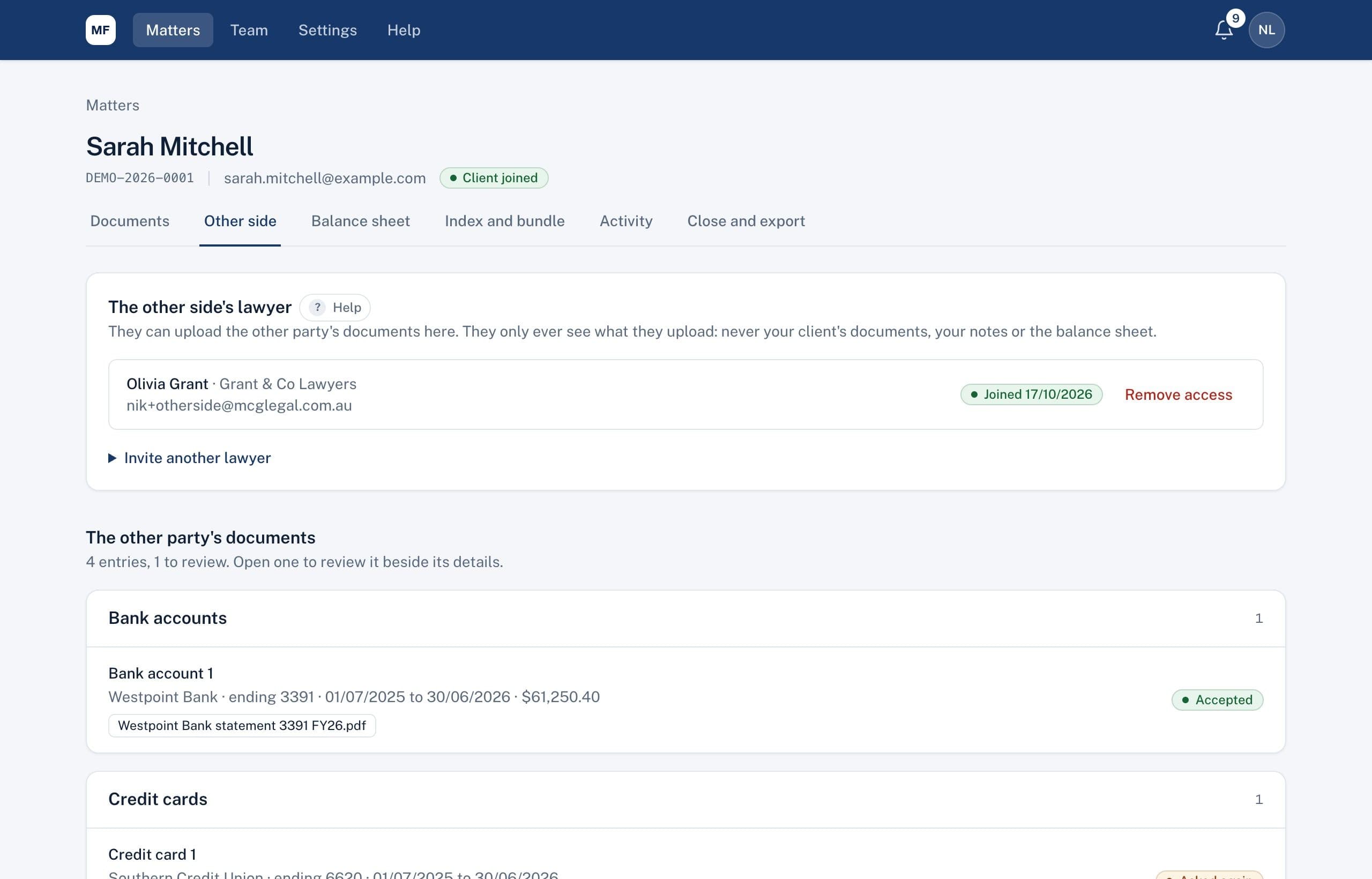
The other side
Invite the other party's lawyer to the matter. They upload their client's documents to their own secure page, and you serve your client's accepted documents to them, with a register of what was disclosed and when it was downloaded.
- Their documents, checked before they count
- Serve your client's disclosure
- A register you can rely on
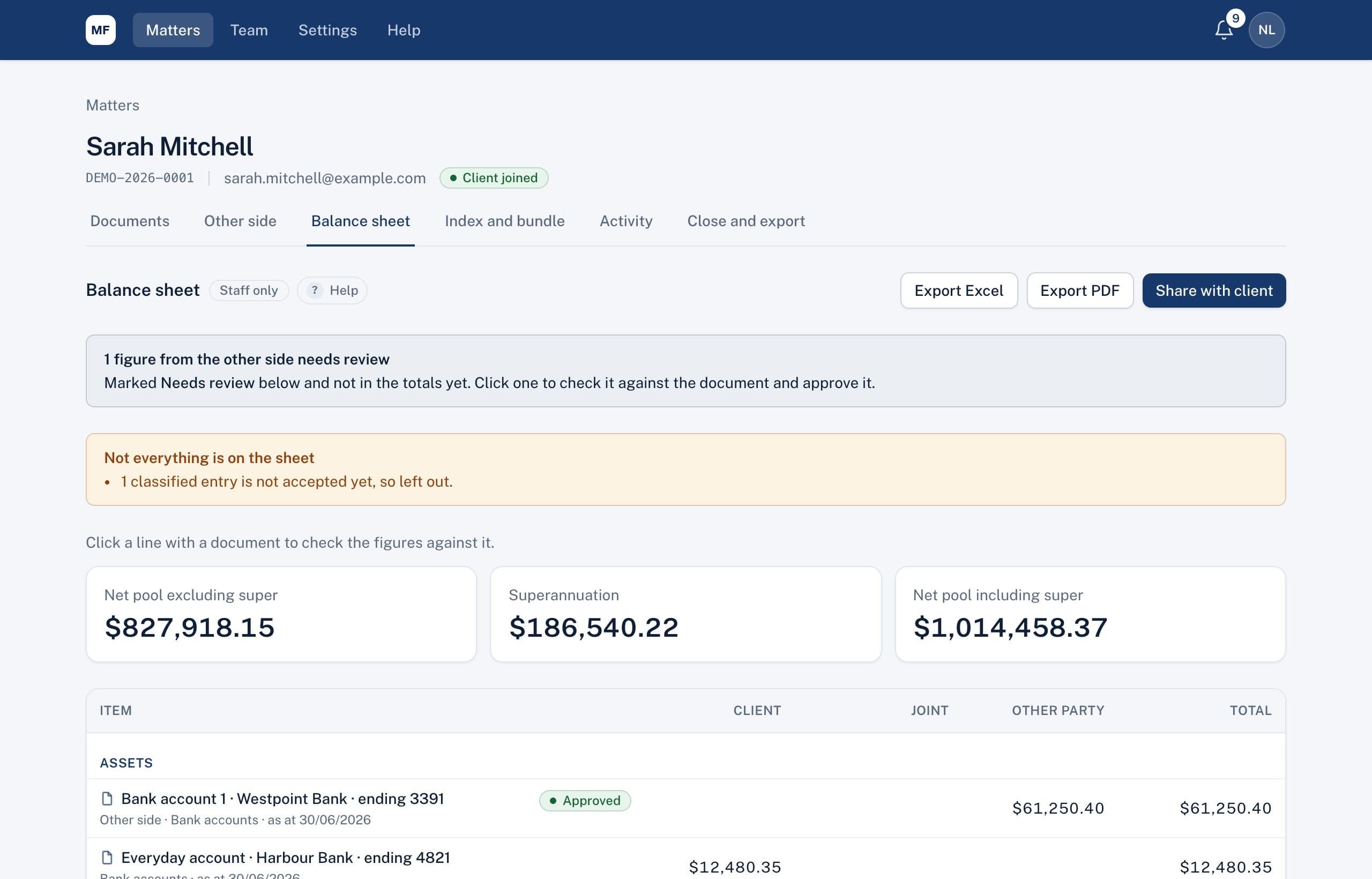
Balance sheet
Accepted entries go straight onto the balance sheet, in the right section and column. Every figure is one click from the document it came from, and the other side's figures only count once you've checked them.
- Built from documents, not retyped
- Model settlement outcomes
- The court's Balance Sheet layout
Index and bundles
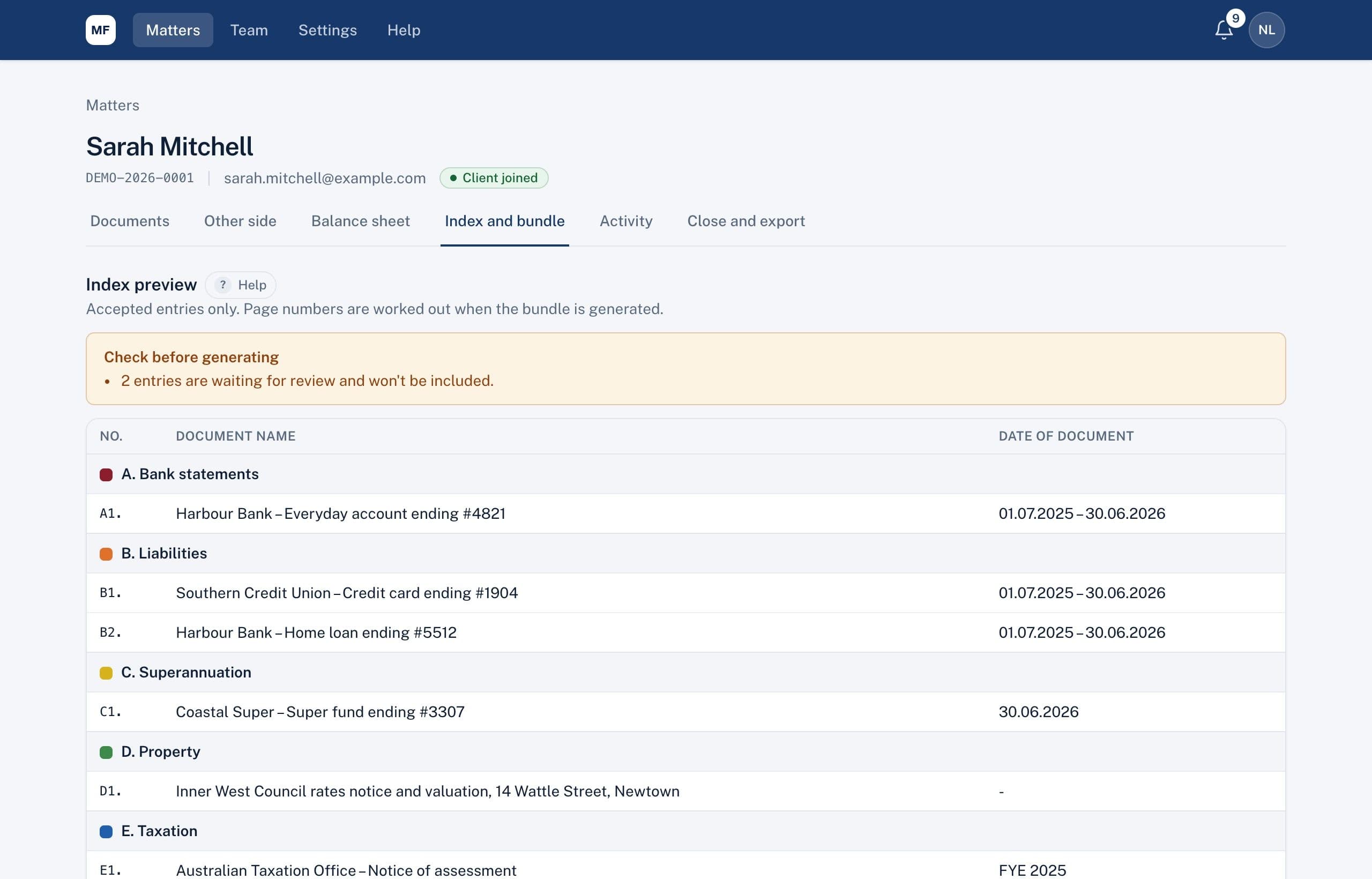
The Index to Disclosure builds itself from accepted entries, in lettered sections with codes and dates. Generate a single PDF bundle with tab pages and page stamps whenever you need it.
- The index, kept up to date
- A bundle you can file and serve
- The whole matter, exported
And for parenting matters
Build parenting proposals with school holidays by state, count nights for each parent, and see the child support care band before you negotiate.
See every feature on a sample matter
We'll walk you through a property matter from first request to final bundle in about 30 minutes.