Disclosure with the other side, in one place
Invite the other party's lawyer to the matter. They upload their client's documents to their own secure page, and you serve your client's accepted documents to them, with a register of what was disclosed and when it was downloaded.
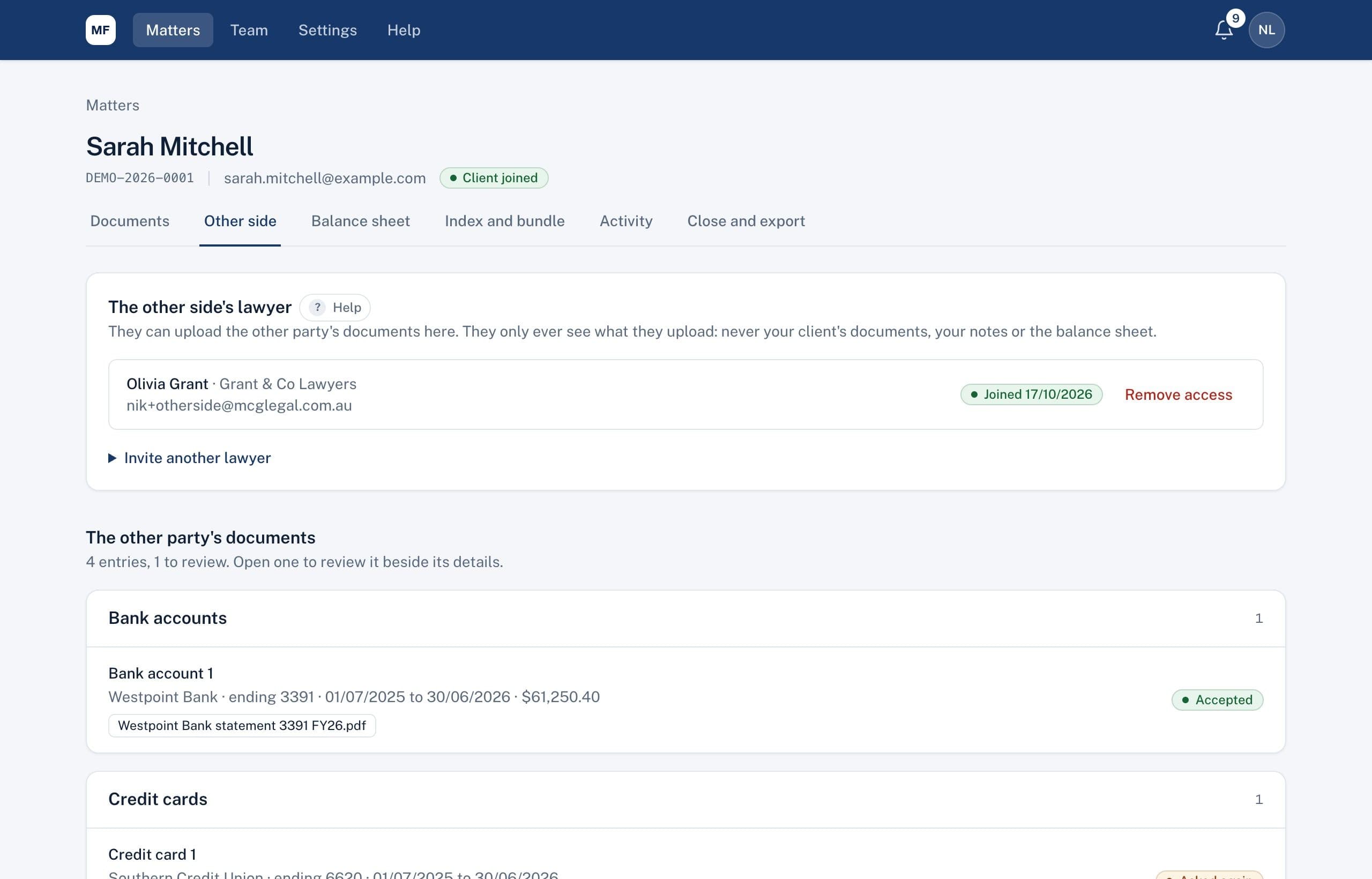
Their documents, checked before they count
The other side's lawyer creates an account and uploads their client's documents. Their entries appear on the matter's Other side tab and on the balance sheet marked Needs review. Nothing counts in your figures until someone at your firm approves it.
- Review their documents on the same screen as your client's
- Ask them for a new copy, with a reason
- Add documents they sent by email or post yourself
Serve your client's disclosure
Tick your client's accepted documents and disclose them to the other side's lawyer in one step, with a note if you like. They get an email and can download them from their page.
A register you can rely on
Every disclosure is listed with its date, who sent it, the documents, and when each file was first downloaded. If you disclose the wrong document, withdraw it: it disappears from their page straight away, and the register keeps the record.
They see only what they should
The other side sees what they upload and what you disclose to them. Never your client's other documents, your notes, your reviews or your balance sheet.
Related
Common questions
Does the other side's lawyer have to pay?
No. They're invited to your matter and use it without charge. Many go on to try it for their own firm.
Can we take back a document we disclosed by mistake?
You can withdraw it, and it disappears from their page straight away. If they've already downloaded it, their copy can't be recalled, and the screen tells you whether they have.
See it on a sample matter
A 30-minute demo, focused on the part of disclosure that takes your firm longest.