Document requests your clients can actually follow
Tick the documents a matter needs and your client gets an email invitation. They work through a simple list on their phone, one item at a time, and you see the status of every item without asking.
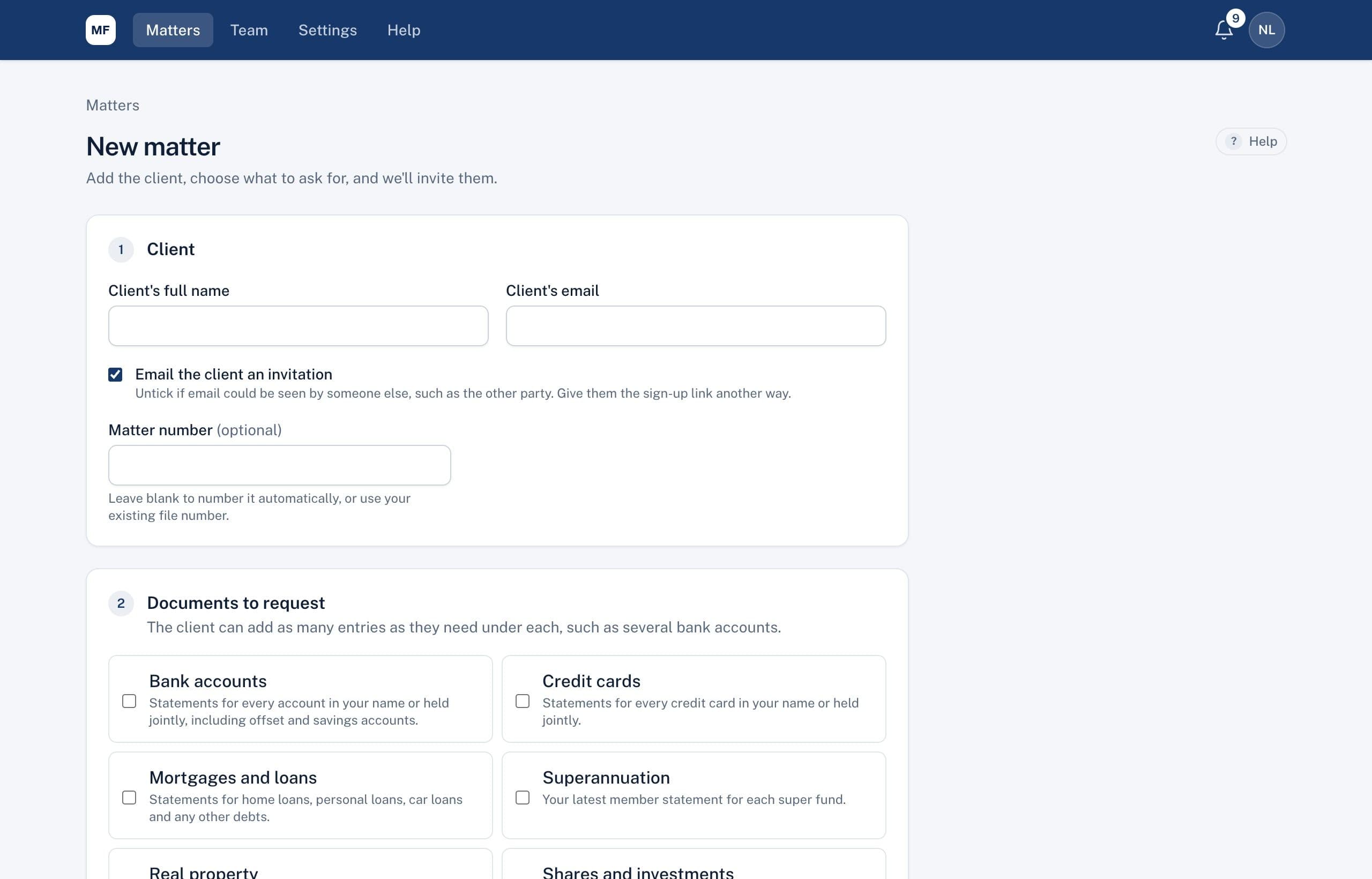
Open a matter in a couple of minutes
Enter the client's name and email, then choose the documents to request. Your firm's standard list is already ticked, so most matters need only a few changes.
- Add custom documents for anything unusual
- Set a due date, and the period statements should cover
- Number the matter automatically, or use your own file number
- Hold back the invitation email if the address could be seen by the other party
A clear list for your client
Clients create an account with the email address you used and see exactly what's needed. For each item they add the details, such as the bank and the last four digits of the account, and upload the statement from their phone or computer.
- PDF, photos (including iPhone photos), Word and Excel files
- Each item shows whether it's done, waiting for review, or needs a new copy
- If they don't have something, they can say so and explain why
Reminders that send themselves
Automatic reminders go out 3 days before the due date, on the day, then weekly while anything is overdue, for up to 4 weeks. You can send one straight away, or turn them off for a matter.
Private by design
Emails never include document names or amounts, only that something is needed. Clients see their own items and nothing else.
Related
Common questions
Do clients need to install anything?
No. Clients use a web page on their phone or computer. They create an account with the email address on the matter, and that's it.
Can we change the standard list of documents?
Yes. Firm admins choose which documents are ticked by default for new matters, and you can add custom documents to any matter.
What if a client sends the wrong document?
Ask for a new copy and give a reason. The client sees your reason and gets an email, and their earlier files stay visible to you.
See it on a sample matter
A 30-minute demo, focused on the part of disclosure that takes your firm longest.