A balance sheet that builds itself from accepted documents
Accepted entries go straight onto the balance sheet, in the right section and column. Every figure is one click from the document it came from, and the other side's figures only count once you've checked them.
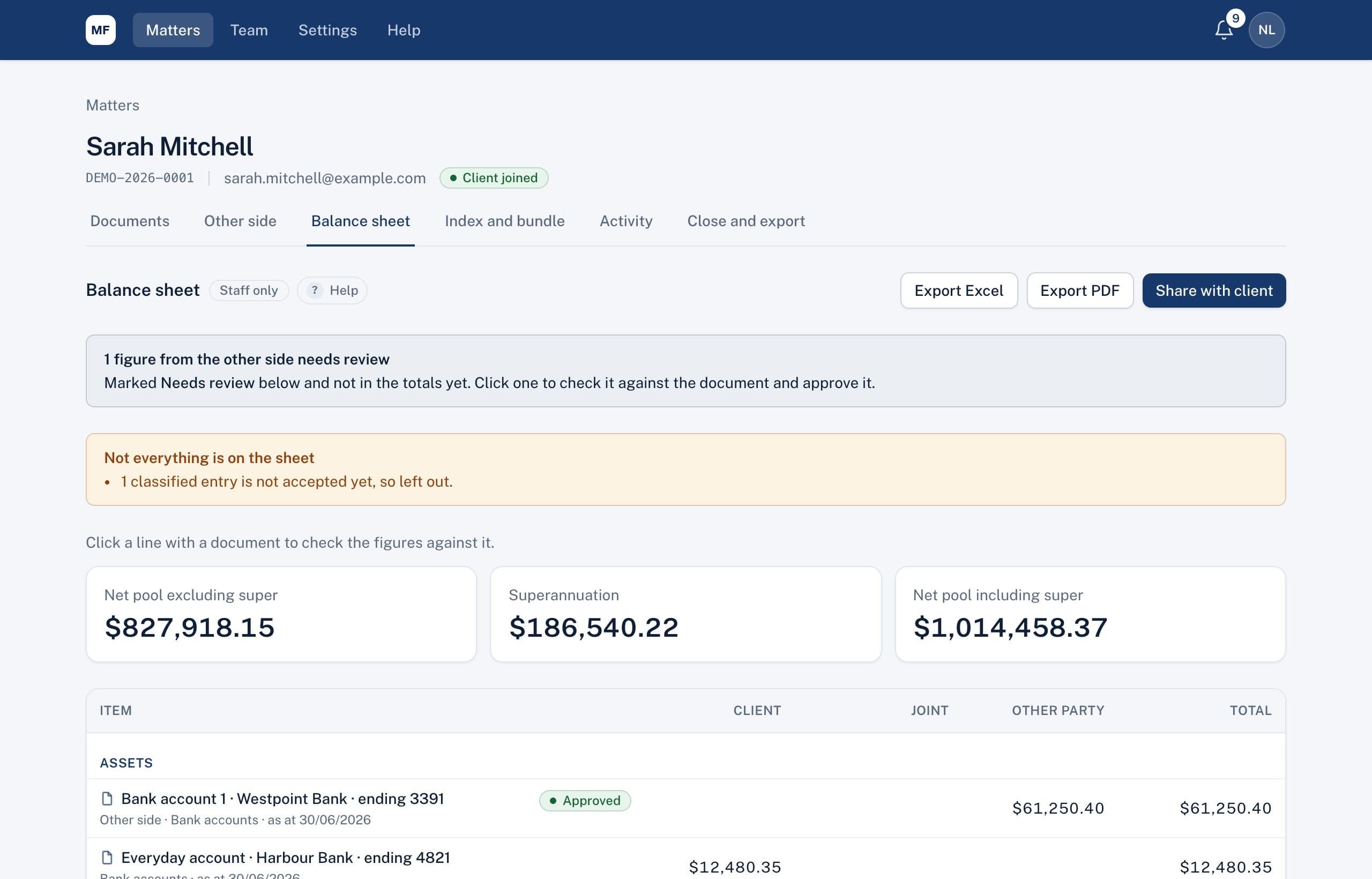
Built from documents, not retyped
Assets, liabilities, superannuation and financial resources are filled in from accepted entries, using their classification and ownership. Totals show the net pool with and without super.
- Click any line to see its figures and the statement beside them
- Add a line by hand for anything with no document, labelled as entered by a lawyer
- Export to Excel or PDF, or share a read-only view with your client
Model settlement outcomes
Choose a percentage split, decide who keeps each asset and debt, add add-backs, and see the cash adjustment straight away. Save scenarios and compare them side by side. Scenarios are for your firm only.
The court's Balance Sheet layout
Download the balance sheet in the layout of the court's Balance Sheet form, in Word or Excel, with your client's values in the Applicant's or Respondent's column. If a balance sheet already exists, import it from a Word or Excel file in the same layout.
Related
Common questions
Can the client see our scenarios?
No. Scenarios are staff only. The client sees the balance sheet only if you choose to share it.
Does it prepare the Financial Statement?
No. It prepares a balance sheet, including one in the layout of the court's Balance Sheet form. The Financial Statement is a different form.
See it on a sample matter
A 30-minute demo, focused on the part of disclosure that takes your firm longest.