Review every document beside its details
Every document arrives as an entry with its details. You see the file on one side and the details on the other, and decide: accept it, ask for a new copy, or mark it not needed.
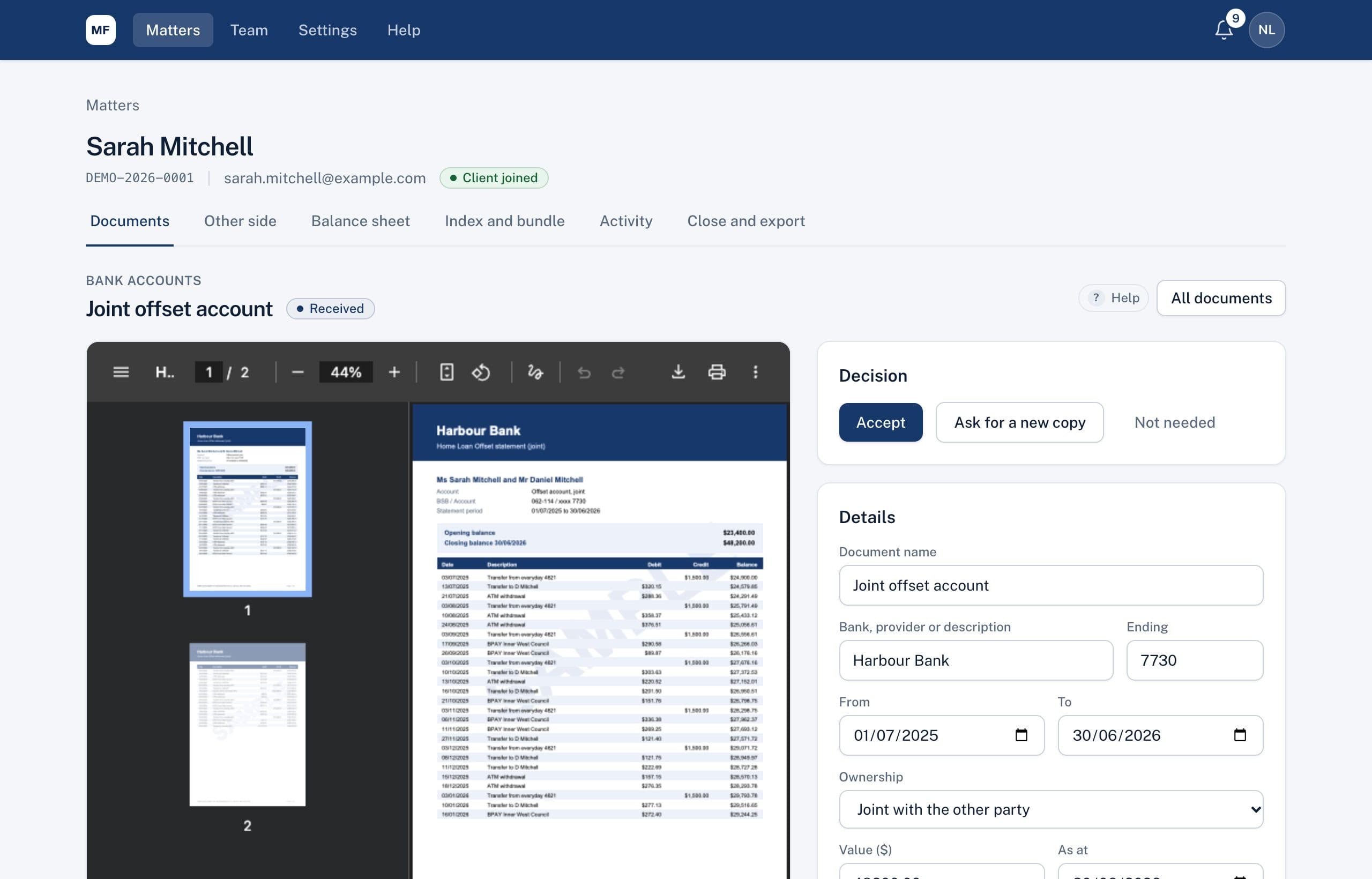
One screen for each decision
The document is on the left, with tabs for multiple files and earlier versions. Word, Excel and iPhone photos are shown as PDF. On the right are the details your client entered, which you can correct.
- Accept, ask for a new copy, or mark not needed
- Notes for your team that clients and the other side never see
- The name and label used on the Index to Disclosure
Statuses that tell you where things are
Every entry has a status: client drafting, received, in review, accepted, asked again, client doesn't have it, or not needed. The matter page shows them at a glance, so nobody keeps a separate spreadsheet.
Ready for the balance sheet
When you accept an entry, it's classified automatically from its document type: bank accounts as assets, credit cards and loans as liabilities, super as superannuation. Change the classification or ownership whenever you need to; your choice is never overwritten.
A full history
When a document is sent again, earlier versions are kept for you to compare. Every decision is recorded in the matter's activity trail.
Related
Common questions
Can a client change a document after sending it?
No. Once it's sent, it's fixed. If you need a better copy you ask for one, and the earlier version stays on file.
Who can see our review notes?
Only your firm's staff on the matter. Clients and the other side never see notes or reviews.
See it on a sample matter
A 30-minute demo, focused on the part of disclosure that takes your firm longest.