Request documents from clients without the email chase
Most of the time spent collecting documents goes on asking, chasing and working out what arrived. Matter Folio turns a request into a list your client works through, with reminders that go out on their own and every file labelled when it lands.
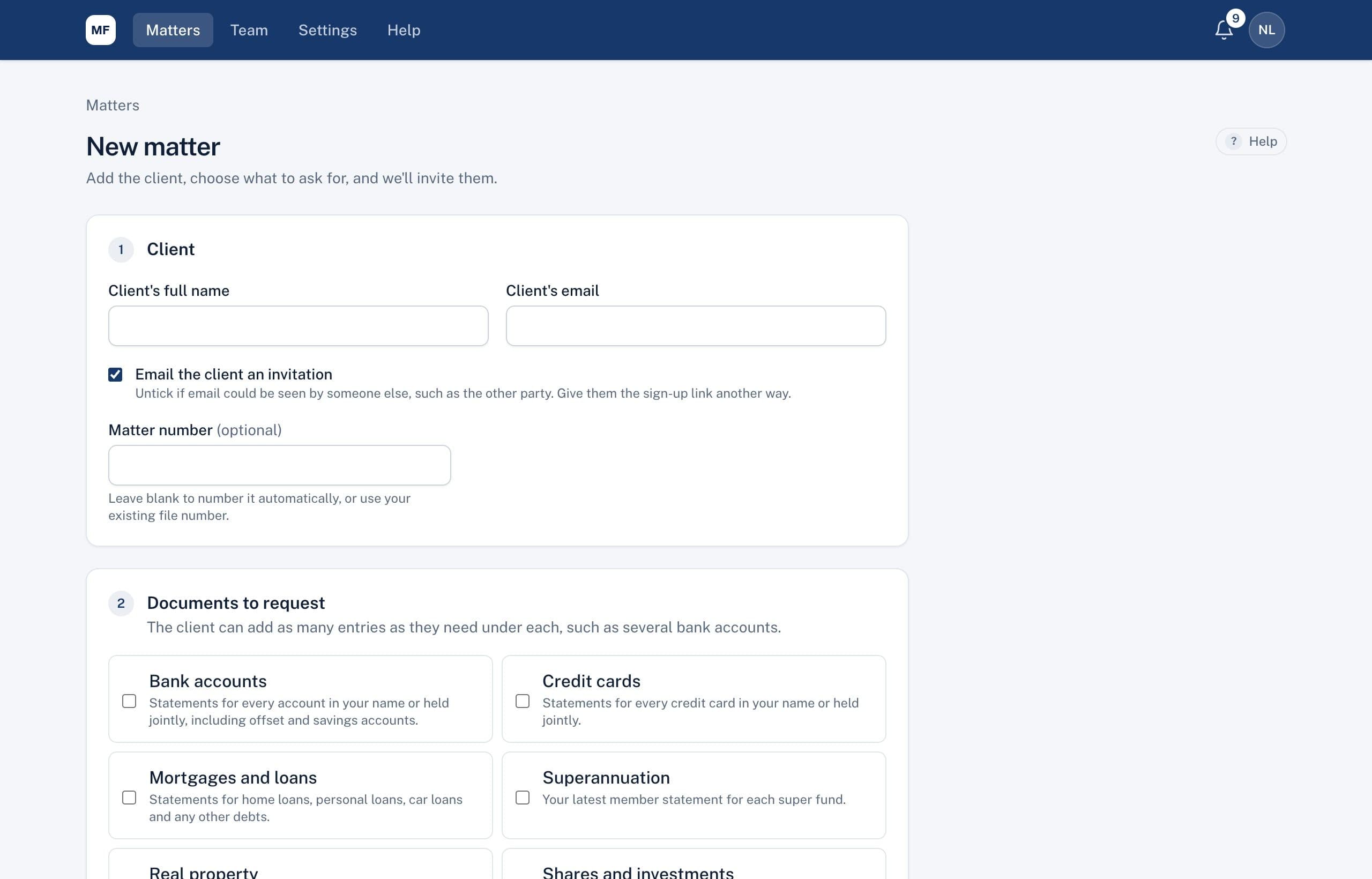
What is document request software for law firms?
It's software for asking clients for documents and tracking what comes back. Each document is a separate item with a status, the client uploads against it through a secure page, and the firm sees at a glance what's received, what's waiting for review and what's still missing. Matter Folio does this for Australian law firms, with family law disclosure built in.
Ask once, clearly
Tick the documents a matter needs. Your firm's standard list is ticked already, and you can add anything unusual in your own words. Each request carries a plain-English explanation, a due date and, for statements, the period they should cover.
A list your client can follow
Your client gets an email invitation from your firm and sees exactly what's needed, on their phone or computer. For each item they add the details you need, such as the bank and the last four digits of the account, and upload the file.
- PDFs, photos (including iPhone photos), Word and Excel files, up to 25 MB each
- Several files on one item, such as twelve monthly statements
- If they don't have something, they say so and explain why
- Nothing to install, and it carries your firm's logo and colour
Reminders nobody has to remember
While anything is outstanding, reminders go out three days before the due date, on the day, then weekly while it's overdue, for up to four weeks. You can send one now or turn them off for a client. If a client's email isn't safe, reminders show in their portal instead.
Review, then ask again with a reason
Open each document beside the details the client entered. Accept it, or ask for a new copy and say why. The client sees your reason on that item, and the new copy arrives on the same item, so the history stays in one place.
Files that arrive already labelled
Every upload belongs to an item, so there's no renaming scan0001.pdf or matching attachments to requests. When it's time to serve documents or build a bundle, they're already in order.
Requesting documents by email compared with Matter Folio
| Email requests | Matter Folio | |
|---|---|---|
| The request | A long letter or email | A list of items, each with an explanation |
| What's outstanding | Worked out by reading the inbox | A status on every item |
| Reminders | Written and sent by hand | Automatic, on a set schedule |
| A wrong document | Another email explaining the problem | Sent back on the item, with a reason |
| Filing | Download, rename and save | Already labelled against the request |
Common questions
Can we use our own list of documents?
Yes. Set your firm's standard list in Settings and it's ticked on every new matter. You can add custom documents to any matter.
Does it work for practice areas other than family law?
Yes. Requests, reminders, review and bundles work for any matter. The family law tools, such as the balance sheet in the court's layout, sit alongside them.
Can a client change a document after sending it?
Not once it's sent, so nothing disappears from your file. If something's wrong, you ask for a new copy and they send it again on the same item.
What if the client's email could be read by someone else?
Untick the invitation email when you open the matter and give them the sign-up link another way. Emails never include document names or amounts in any case.
See a request from the client's side
In a 30-minute demo we'll open a matter, send a request and show what your client sees on their phone.