When you act for the other party on another firm's matter
Disclosure to other firms, and sending from your own matter.
If another firm using Matter Folio invites you to provide disclosure, you use the same account.
- Disclosure appears in your menu, and your Home page lists Disclosure to other firms.
- Open one to see the other firm's request list and what you've sent.
Send from your own matter
If you already have these documents on your own matter for the same client:
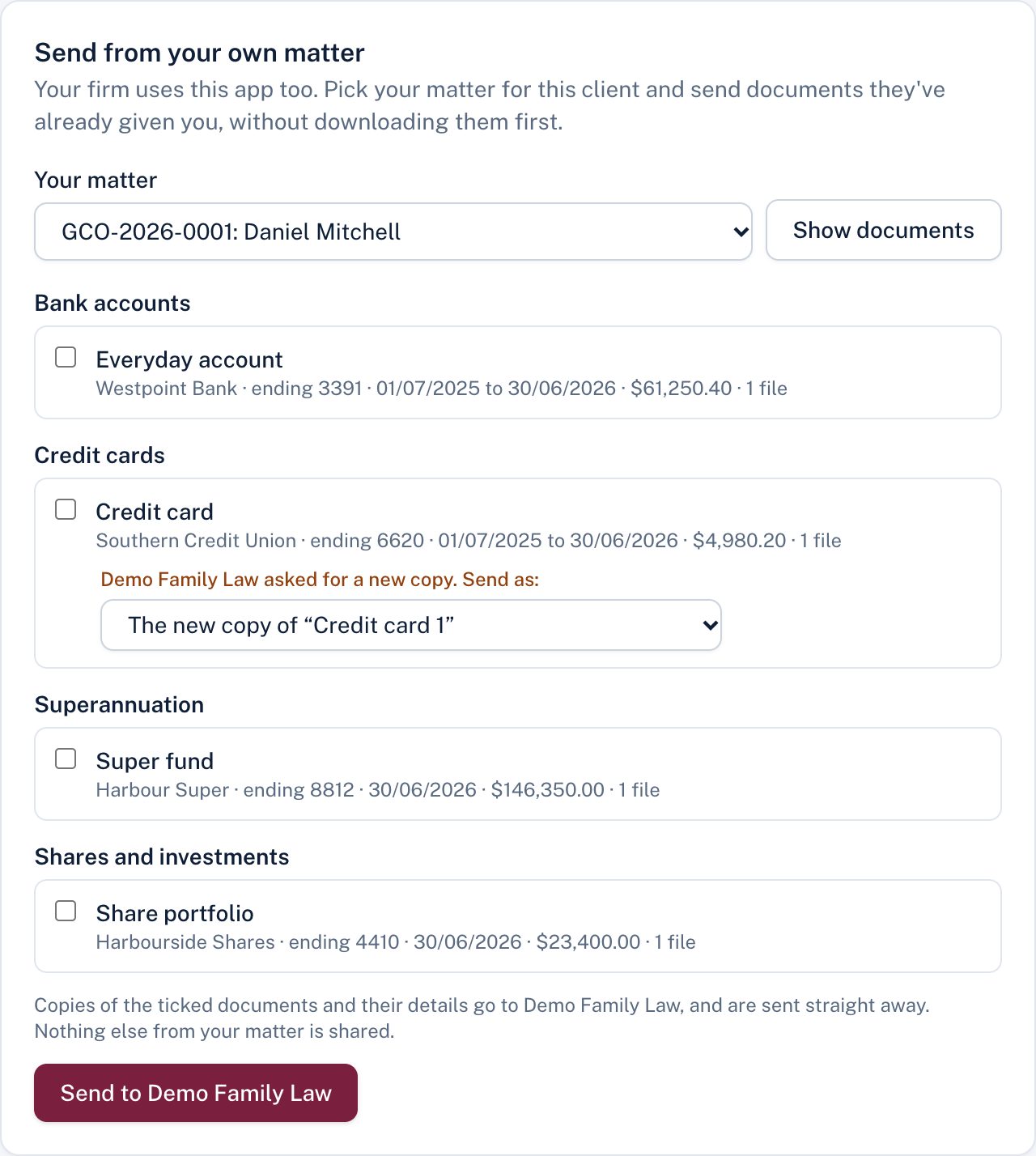
- Under Send from your own matter, choose your matter and Show documents.
- Tick the documents to send. If the other firm has asked for a new copy of that kind of document, it offers The new copy of that entry; choose a separate new entry instead if you prefer.
- Choose Send to the firm.
Copies of the ticked documents and their details are sent and appear below straight away. Nothing else from your matter is shared, and your own matter is unchanged.
Didn't answer your question? Ask our team.