The Index to Disclosure and bundle
Generate a numbered, tabbed PDF of everything approved.
Open the matter's Index and bundle tab.
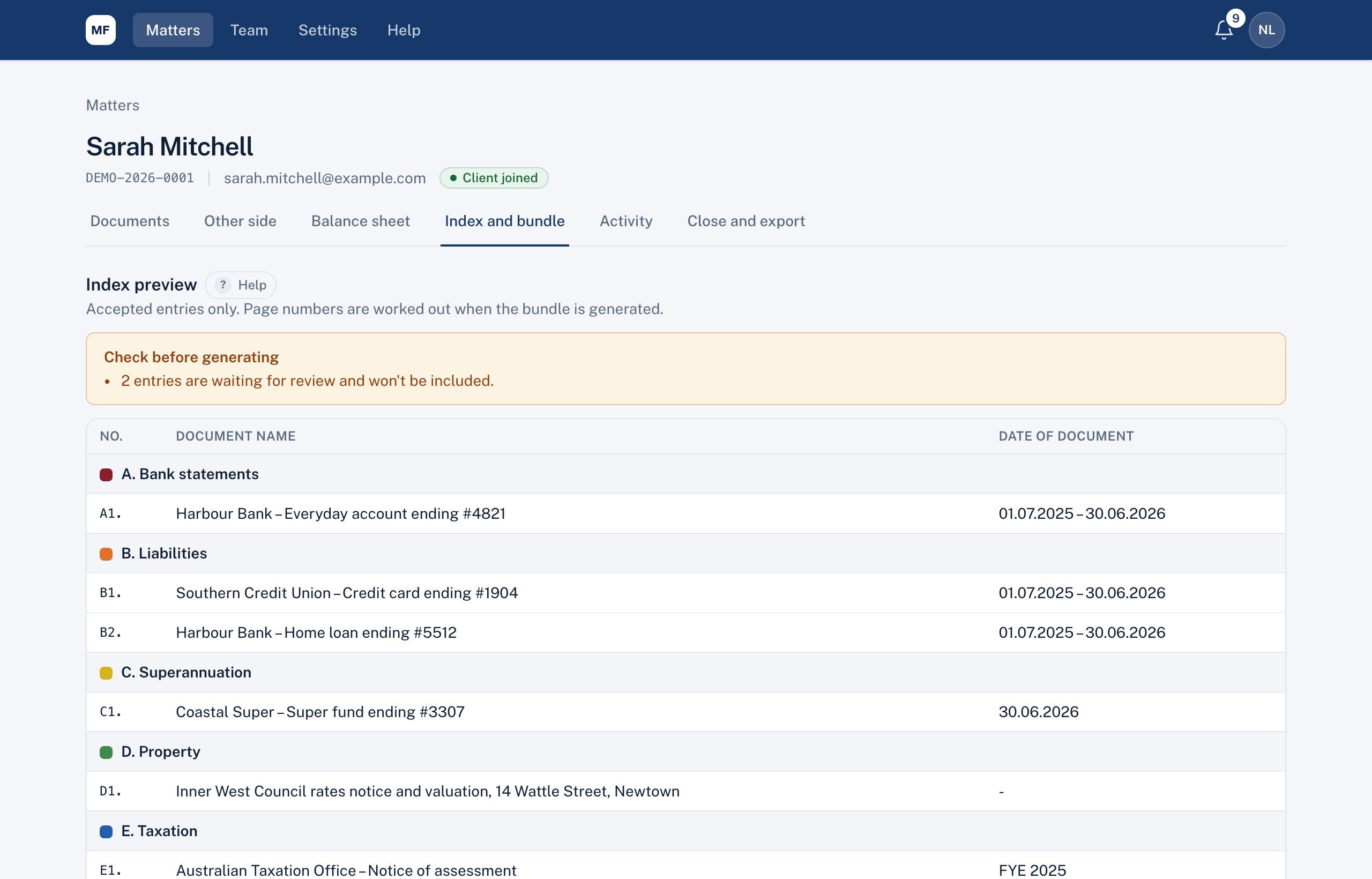
The index
A preview of the Index to Disclosure built from approved entries, in lettered sections (A. Bank statements, B. ...) with codes (A1, A2) and dates. To change a name, date or label, edit the entry on its review screen.
Generating a bundle
- Choose the As at date.
- Choose the page stamp: page number only, or code and page (for example A2 · 14).
- Tick Include the other side's documents if you want them (they follow yours, in their own sections).
- Choose Generate.
You get one PDF with the index, coloured tab pages for each section, every document in order (Word, Excel and iPhone photos converted) and page stamps.
Each generation is a new version; earlier versions are kept. Choose Download PDF beside any version.
Didn't answer your question? Ask our team.