How the balance sheet works
Approved figures become the asset pool automatically.
Open the matter's Balance sheet tab.
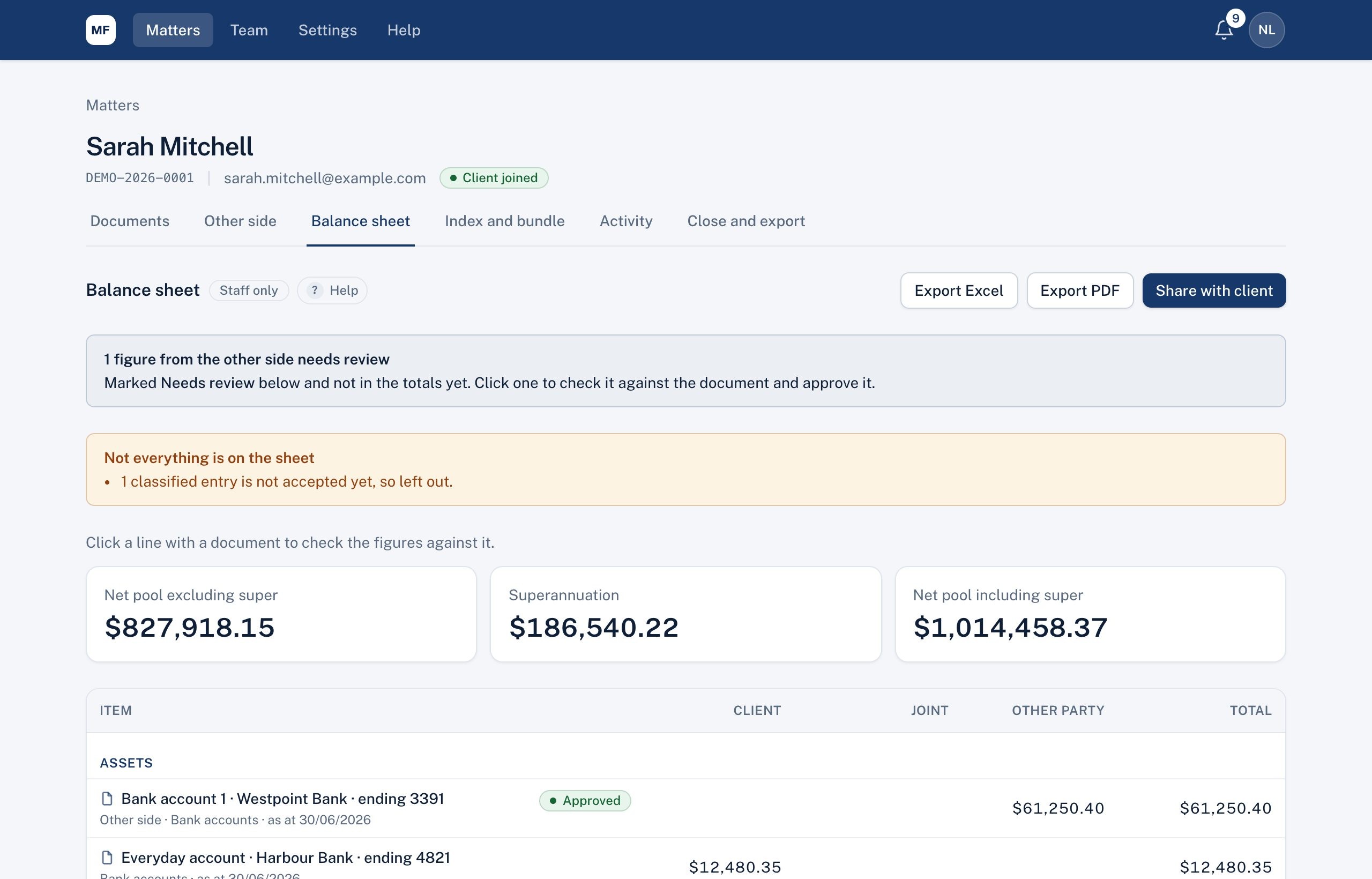
- Approved entries appear in their section (assets, liabilities, superannuation, financial resources) and column (Client, Joint, Other party), using their classification and ownership.
- The other side's entries appear as soon as they're sent, marked Needs review, and only count once you approve them.
- At the top: Net pool excluding super, Superannuation and Net pool including super.
- A notice tells you about anything left out, for example an approved entry with no classification or no value.
With the Family law module, the Model outcomes button and the Court balance sheet card are here too (see Modelling outcomes and The court's Balance Sheet).
Didn't answer your question? Ask our team.