Closing, keeping and deleting a matter
What closing does, retention, and deleting for good.
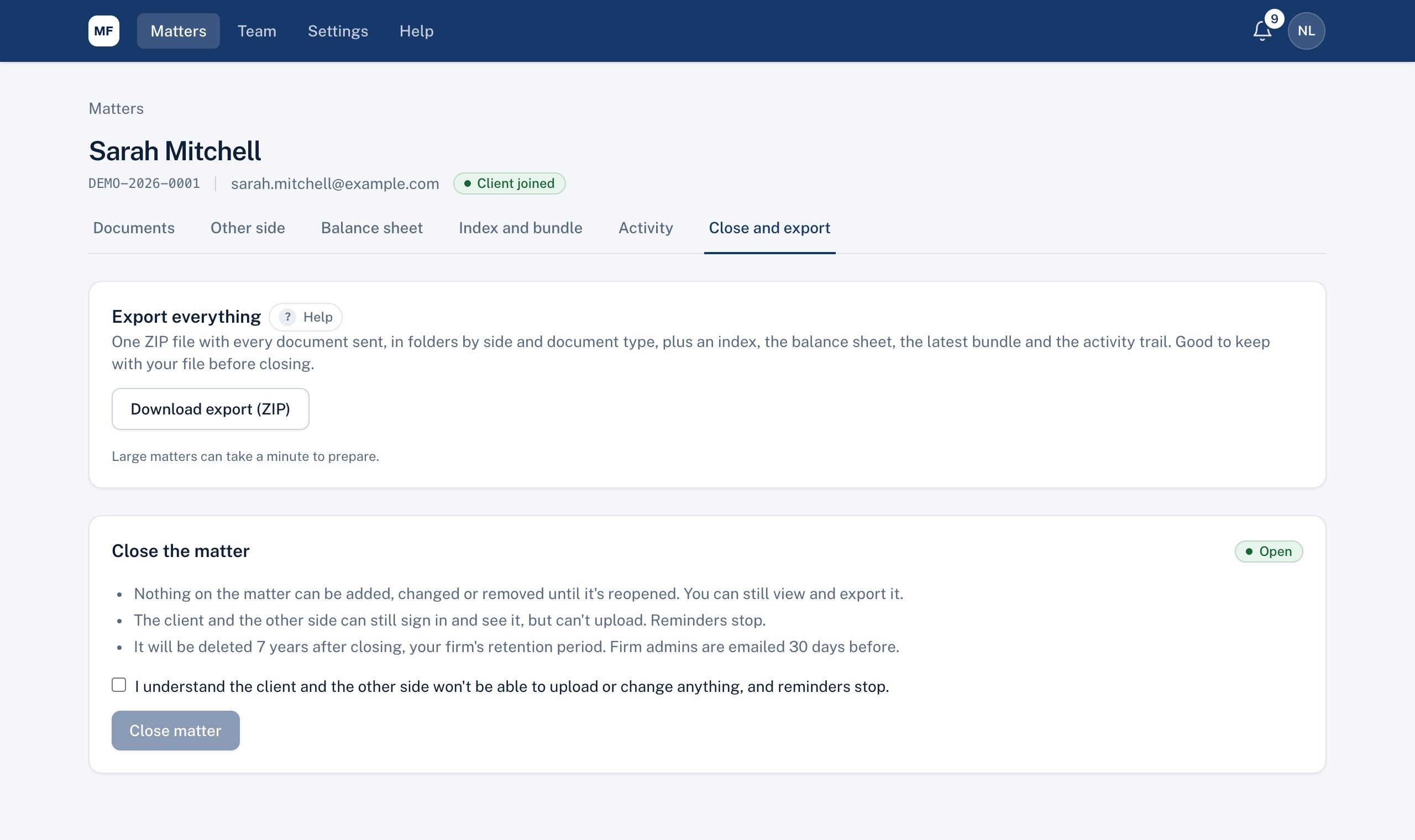
Closing
On Close and export, tick the confirmation and choose Close matter.
- Nothing on the matter can be added, changed or removed until it's reopened. You can still view and export it.
- Your client and the other side can still sign in and see it, but can't upload. Reminders stop.
- Reopen matter at any time.
Retention
A closed matter is deleted automatically after your firm's retention period (7 years unless your firm admin changes it in Settings). Firm admins are emailed 30 days before.
Keep this matter (lawyers and firm admins) stops automatic deletion, for example during an appeal.
Deleting now (firm admins)
Under Delete now, type the matter number to confirm. This deletes every document, the client and other side details, figures, notes and bundles for good; it can't be undone. Only the matter number and a record of who did what (without the details) are kept. Download an export first if you need one.
Didn't answer your question? Ask our team.