The matter page
What's received, what's waiting, and the tabs along the top.
Open a matter from the list.
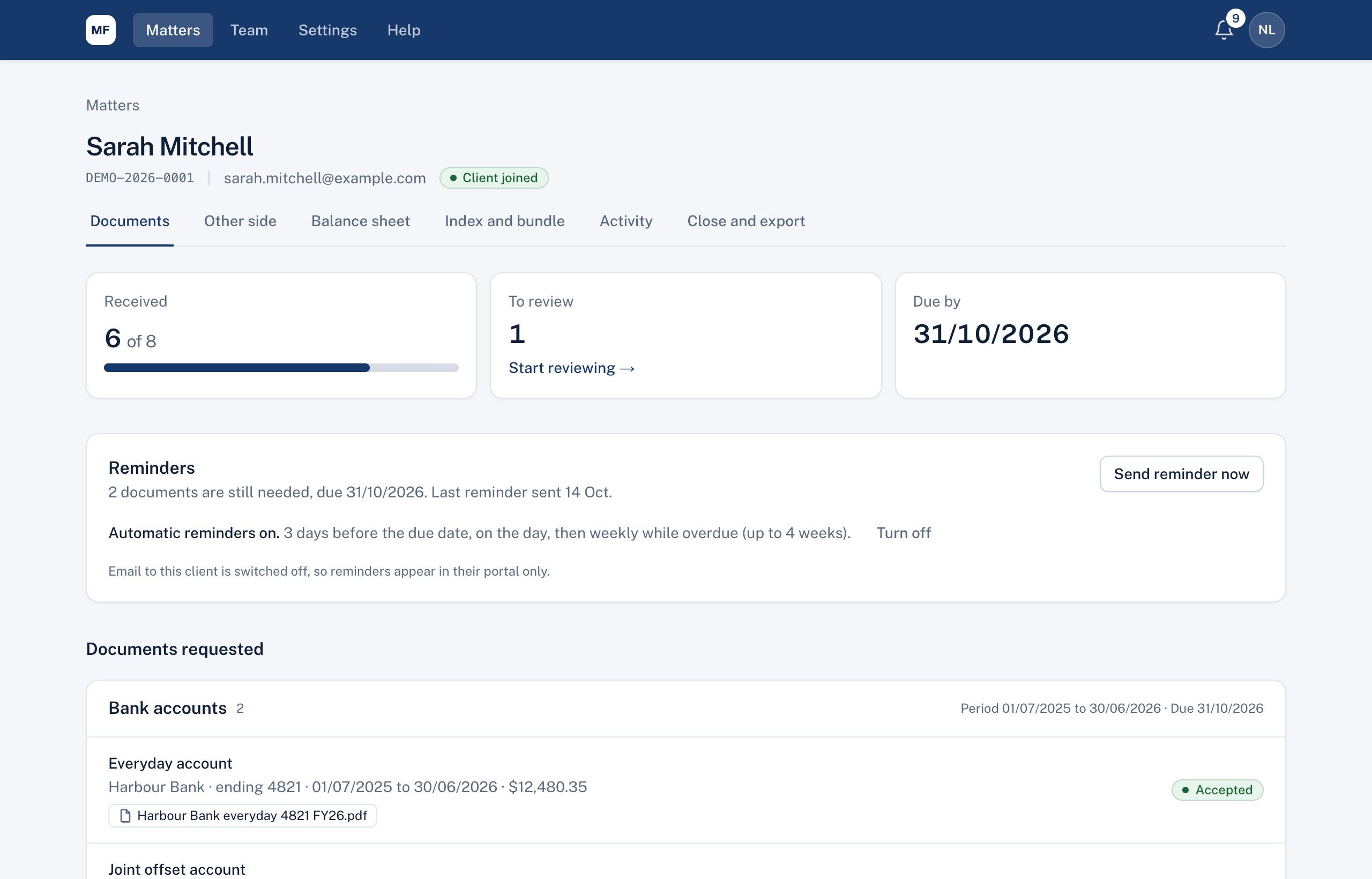
At the top: the client's name, matter number, email and whether they've joined. The Documents tab shows:
- Received, To review (with Start reviewing) and Due by.
- Reminders: automatic reminders and Send reminder now (see Reminders).
- Documents requested: each document type with the entries your client added, their details and files. Select an entry to review it.
- Request another document at the bottom.
The other tabs are Other side, Balance sheet, Index and bundle, Activity and Close and export.
Didn't answer your question? Ask our team.