Reviewing a document
The document beside its details: approve, ask again, or edit.
Choose Start reviewing on a matter, or select any entry.
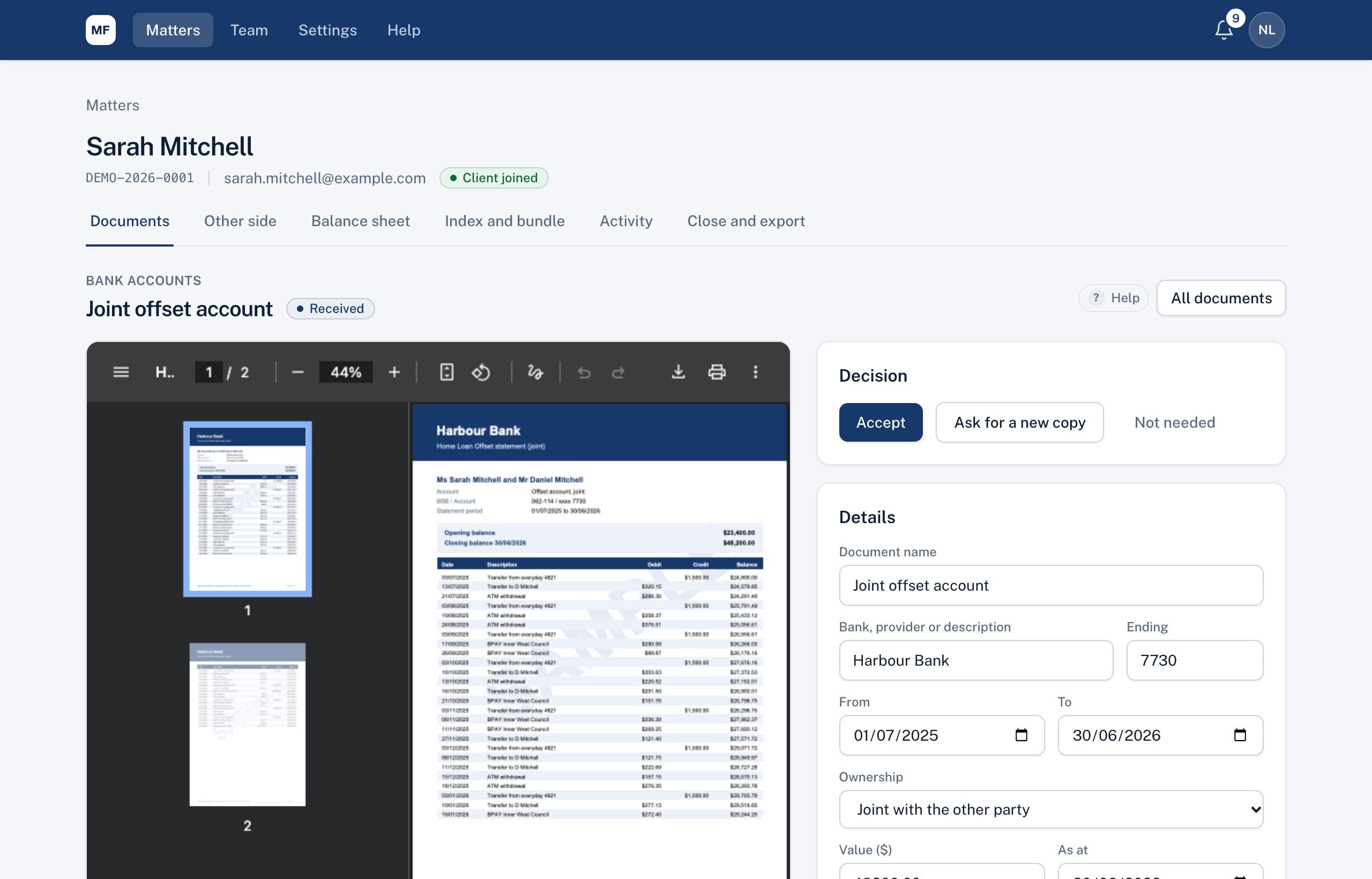
- Left: the document. If there are several files or versions, switch between them with the tabs. Word, Excel and iPhone photos are shown as PDF.
- Right:
- Decision: Accept, Ask for a new copy, or Not needed.
- Details: what your client entered. Correct anything if needed, then Save.
- Classification: where it goes on the balance sheet (see Classification and ownership).
- Name on the Index to Disclosure and a label (Unsigned, Draft or Redacted) for the bundle.
- Notes: for your team only. Clients and the other side never see them.
After you accept, move on to the next entry waiting for you.
Didn't answer your question? Ask our team.